What do WUSP and WISP Manager do?
WUSP carries USP-style device operations over the same authenticated WireGuard tunnel used for management. WISP Manager turns that data into fleet, customer, service, billing, activity, and file workflows for operators.
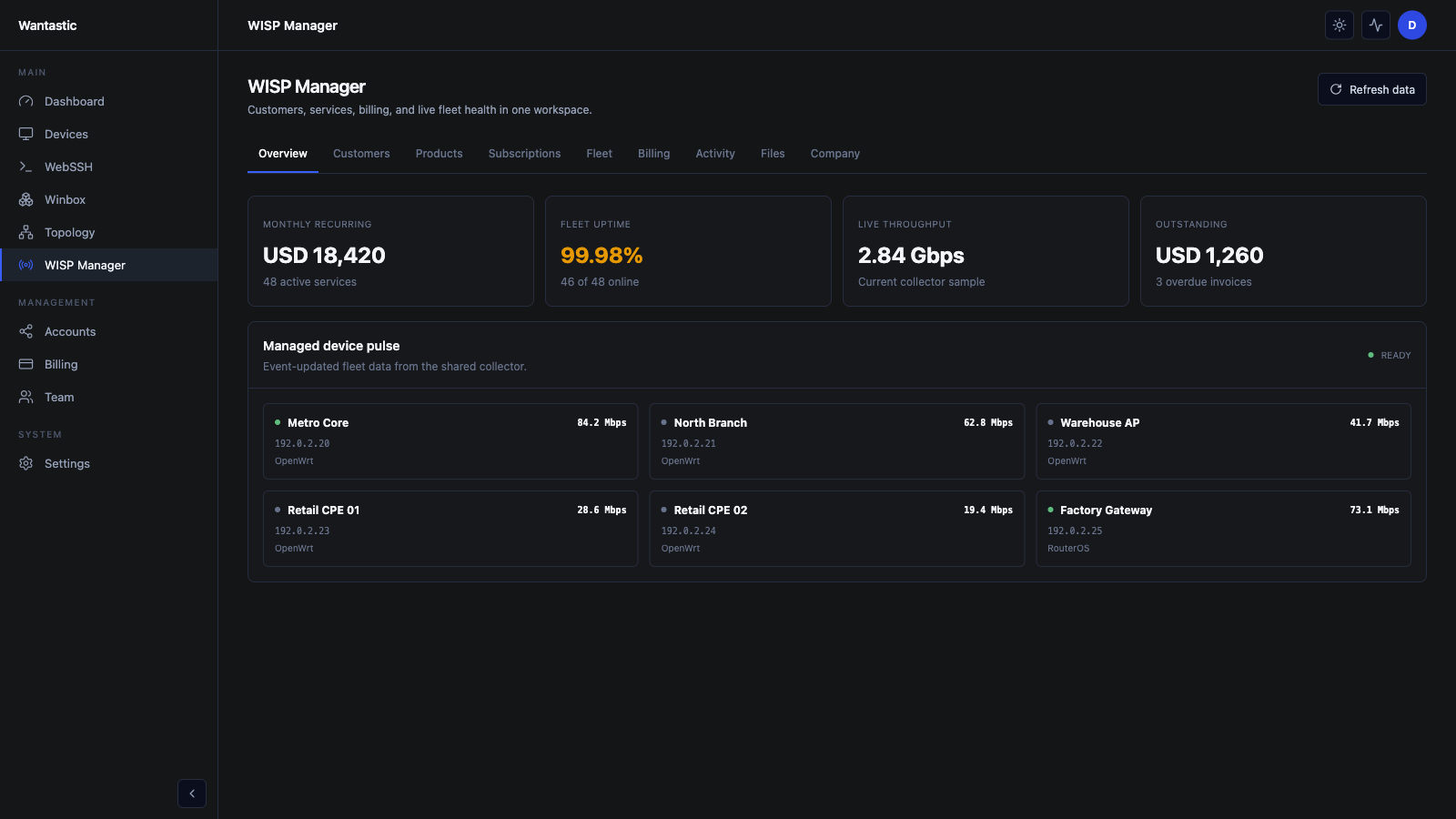 Live beta UI with sanitized demo data
1. Enroll a supported endpoint
Install wantasticd on OpenWrt or embedded Linux and authenticate it:
curl -sSL https://get.wantastic.app/install.sh | sh -s -- \
  --token <YOUR_ENROLLMENT_TOKEN>
For a shipped appliance, use the stable manufacturer claim flow instead of a shared token.
2. Confirm the endpoint is a WUSP device
Open Devices and check that the endpoint:
- reports WUSP device as its type;
- has an overlay IP;
- is online with a current heartbeat;
- has the expected platform and firmware identity.
If the device is online as a tunnel peer but has no management data, inspect the wantasticd service logs and confirm the WUSP subsystem started.
3. Use WISP Manager as the operational view
Open WISP Manager → Overview. Start with:
- Fleet uptime to find offline or unstable endpoints.
- Live throughput to spot saturation or an unexpected traffic drop.
- Managed device pulse to compare the latest state from each unit.
- Activity to audit recent operator and device events.
- Files for controlled artifacts used by supported workflows.
Use Fleet when the device—not the customer or subscription—is the unit of work.
4. Read before you write
WUSP models device capabilities. A safe workflow is:
- refresh the device state;
- confirm the parameter is reported and writable;
- record the current value;
- apply one bounded change;
- wait for the new state or notification;
- verify the device itself accepted the change.
Do not assume every TR-181 parameter is writable on every platform. OpenWrt packages, radio drivers, modem firmware, and vendor permissions decide what the device can actually perform.
5. Validate common OpenWrt workflows
For Wi-Fi changes, confirm radio capabilities before changing standards, channel width, channel, or transmit power. Keep associated stations separate from neighboring scan results when diagnosing connectivity.
For cellular devices, verify modem registration, signal, SIM, APN, and IP state before applying a write. A successful portal request is not enough—the value must be read back from the modem or platform adapter.
Troubleshooting checklist
- Confirm the WireGuard peer is online.
- Confirm wantasticd is running after reboot.
- Refresh the device before retrying a write.
- Check the platform package or modem tool required by the adapter.
- Avoid issuing several writes while a device sync is already in progress.
- Compare the portal result with the local OpenWrt or modem state.
This keeps WUSP useful as a real device-management channel, not merely a schema browser.