When should I install wantasticd?
Use wantasticd for Linux, OpenWrt, Alpine, embedded Linux, macOS, and Windows endpoints. MikroTik RouterOS 7 devices use their built-in WireGuard client instead and do not run the agent.
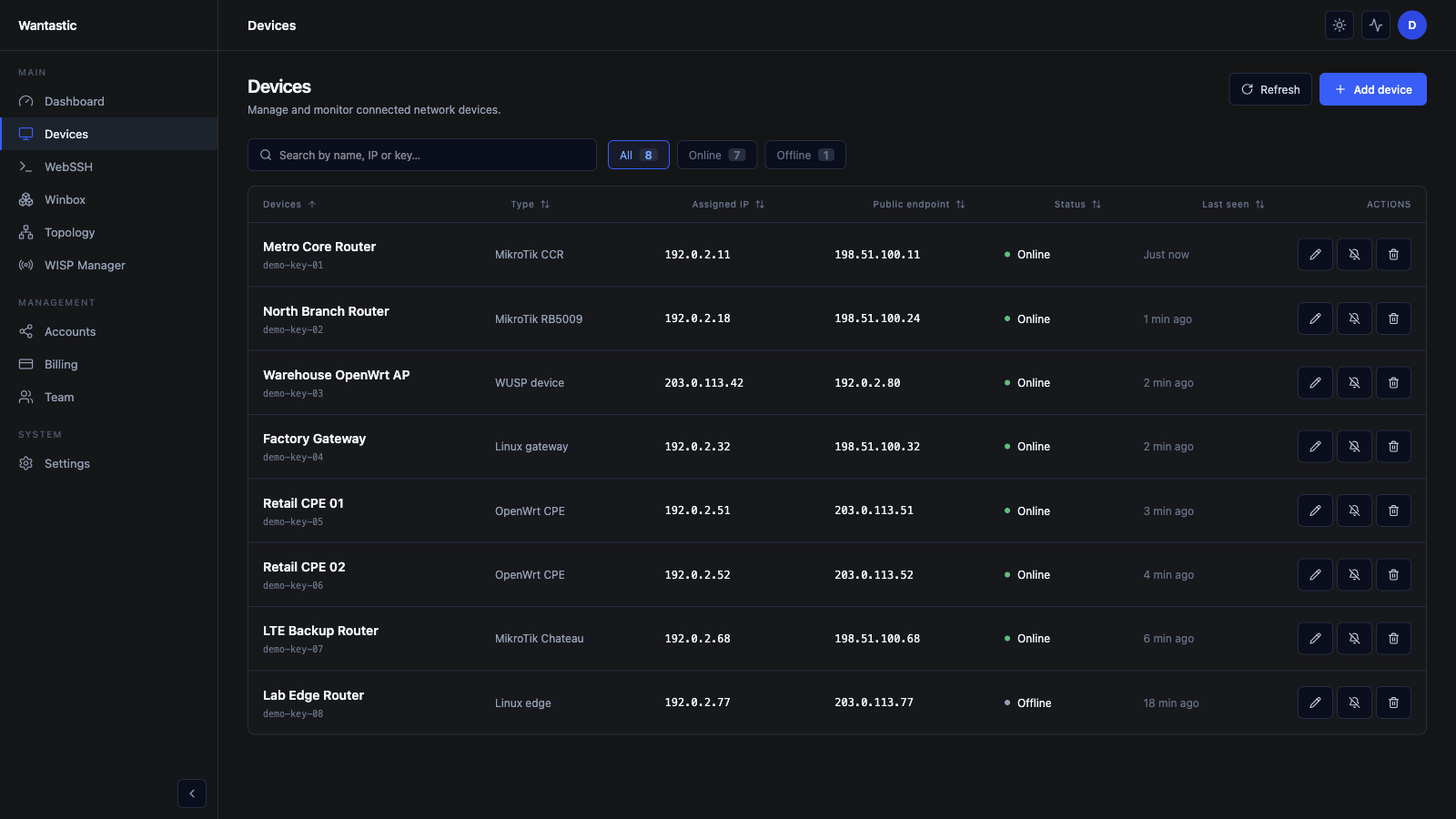 Live beta UI with sanitized demo data
1. Pick an enrollment method
Wantastic supports three practical choices:
| Method | Best for |
|---|---|
| Interactive browser login | A technician installing one workstation or server |
| Enrollment token | Headless hosts, automation, and repeatable fleet rollout |
| Manual config | Offline imaging, SD cards, and controlled provisioning systems |
Create enrollment tokens under Accounts → Secrets. Treat them as credentials and do not embed long-lived tokens in public images.
2. Install on Linux, OpenWrt, Alpine, or macOS
Install the binary and service:
curl -sSL https://get.wantastic.app/install.sh | sh
Install and open interactive enrollment:
curl -sSL https://get.wantastic.app/install.sh | sh -s -- --login
For a headless token enrollment:
curl -sSL https://get.wantastic.app/install.sh | sh -s -- \
  --token <YOUR_ENROLLMENT_TOKEN>
The installer detects the architecture and registers systemd, procd, OpenRC, SysV, BusyBox, or launchd as appropriate.
3. Install on Windows
Open PowerShell as Administrator:
irm https://get.wantastic.app/install.ps1 | iex
Complete browser enrollment or use the supported token option in your managed installation workflow.
4. Enroll after installation
Interactive login:
wantasticd login
Headless login:
wantasticd login --token <YOUR_ENROLLMENT_TOKEN>
Manual configuration:
wantasticd connect --config /etc/wantastic
The installer does not overwrite an existing configuration, which makes preloaded SD-card and appliance images practical.
5. Verify the service and tunnel
wantasticd status
On systemd hosts:
systemctl status wantasticd
systemctl restart wantasticd
On OpenWrt:
/etc/init.d/wantasticd status
/etc/init.d/wantasticd restart
Finally, open Devices in Wantastic. The endpoint should show an assigned overlay IP, an online status, and a recent heartbeat. If it does not, verify system time, DNS, outbound HTTPS, and outbound WireGuard/UDP before rotating credentials.